How to use STRONKA
From your first login to your hundredth workout. Each step shows the real screen you'll see.
Put it on your phone
STRONKA runs in your browser, so there’s nothing to download. Add it to your home screen and it opens full screen, like any app.
iPhone (Safari): open stronkaa.com in Safari, tap the Share button, then choose Add to Home Screen.
Android (Chrome): open stronkaa.com in Chrome, tap the ⋮ menu, then choose Install app or Add to Home screen.
Set up your plan
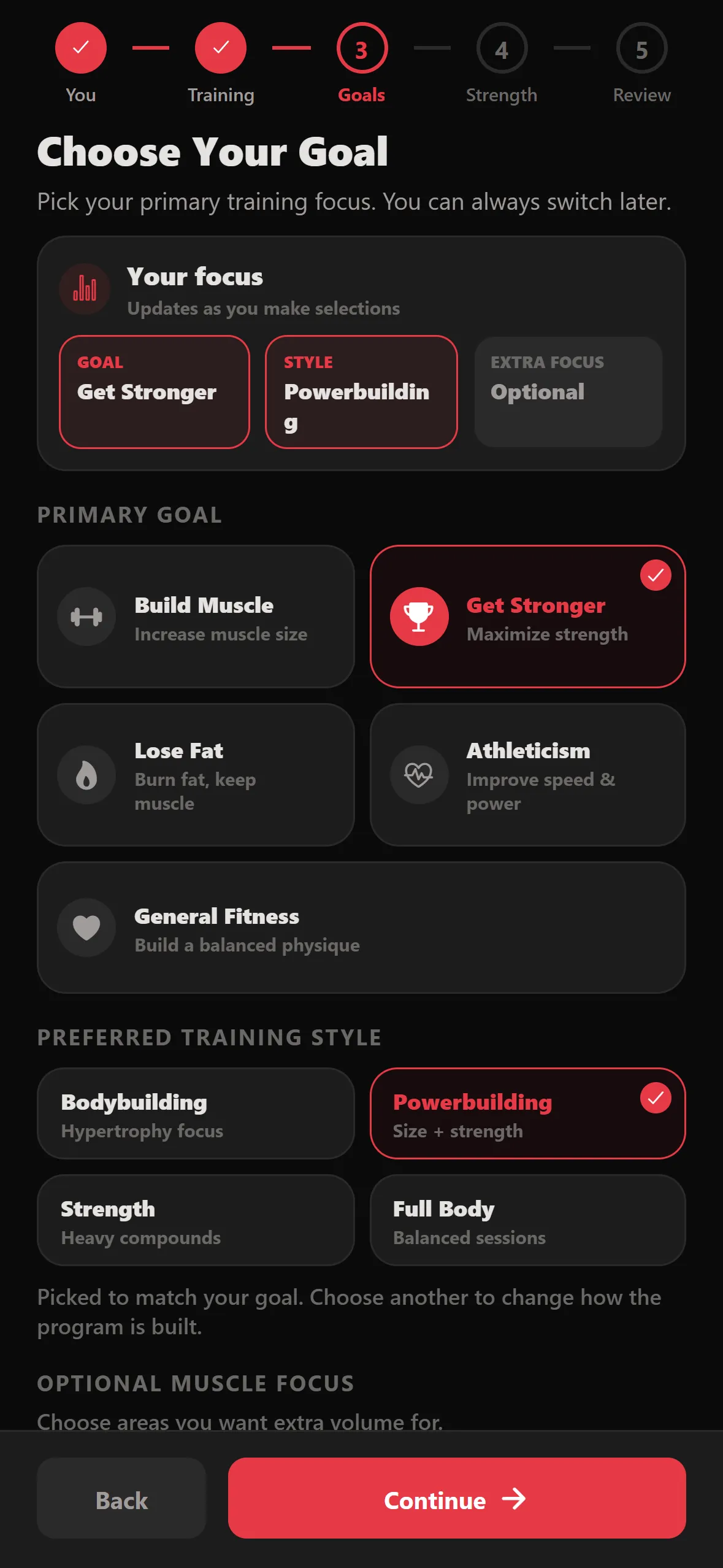
Create an account with your name, email, phone and a password. Then five short steps build your program:
- You — units (lb or kg), age, height and weight.
- Training — your experience and the days you lift.
- Goals — your main goal, training style and any muscles to focus on.
- Strength — your bench, squat and deadlift maxes. Optional: skip it for conservative starting weights, or estimate from a hard set.
- Review — check your week, then tap Generate My Program.
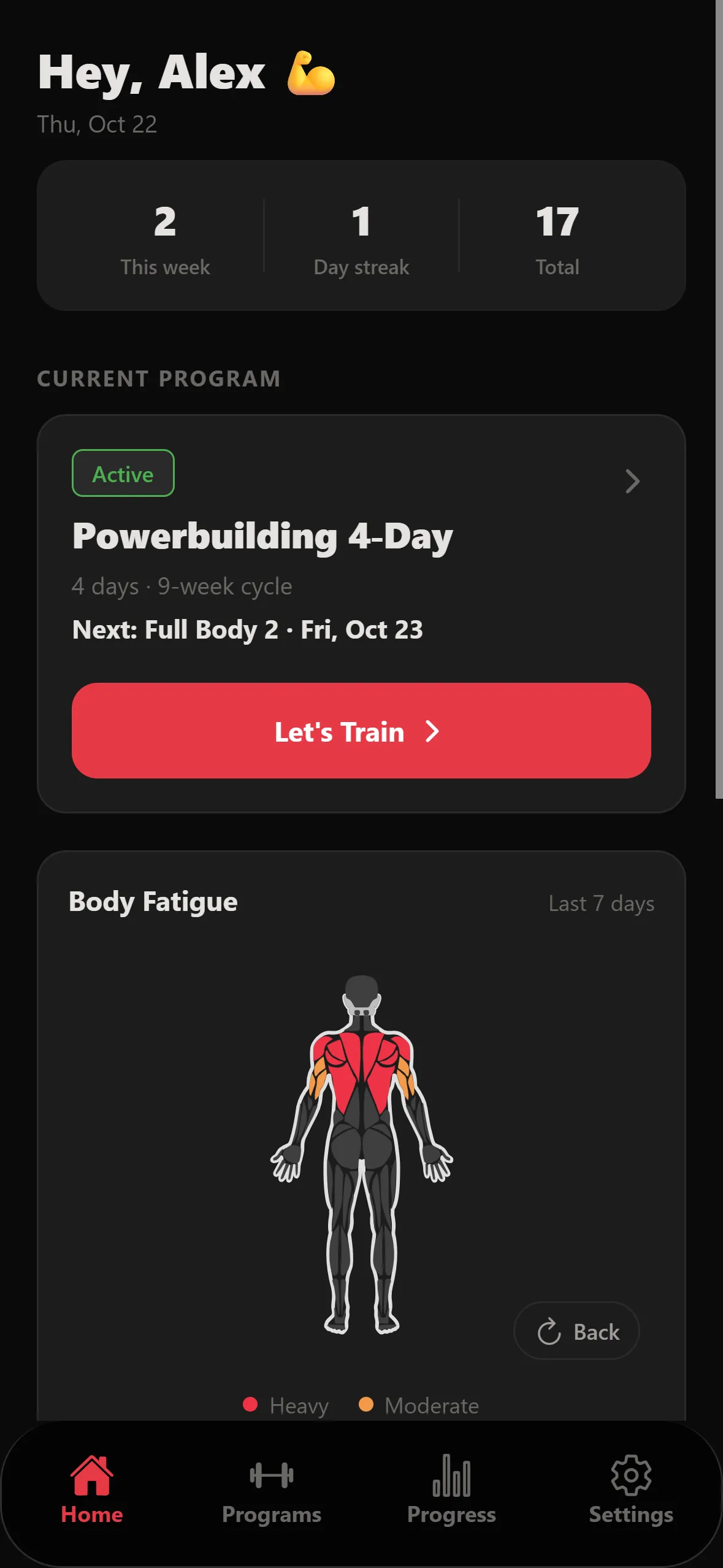
Your home screen
Home shows your week at a glance: workouts this week, your streak, your current program and the next training day. Tap Let’s Train to start it.
Want to change the plan? Open Programs to edit days, swap exercises, or Duplicate a day you like.
Train a session
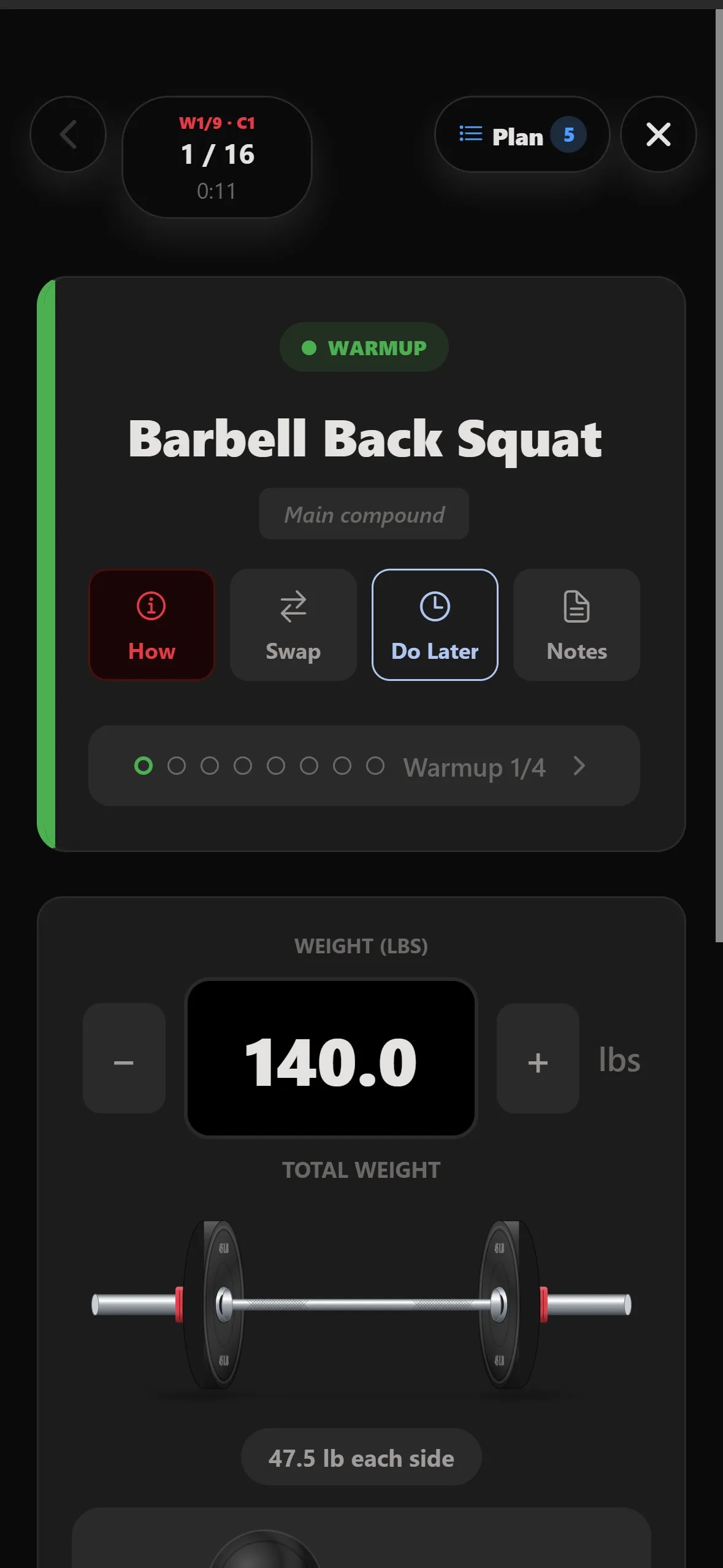
Each exercise starts with warm-up sets, then your working sets. The weight and reps are filled in — adjust them if you need to, then tap Complete Set.
- How — steps and cues for the exercise.
- Swap — switch to an alternative, like when the rack is taken.
- Do Later — move the exercise to the end of the workout.
- Notes — note how a set felt; it’s there next time.
- Plan — see every exercise in today’s workout.
Short on time? Skip remaining warmups jumps straight to your working sets.
Plates and rest
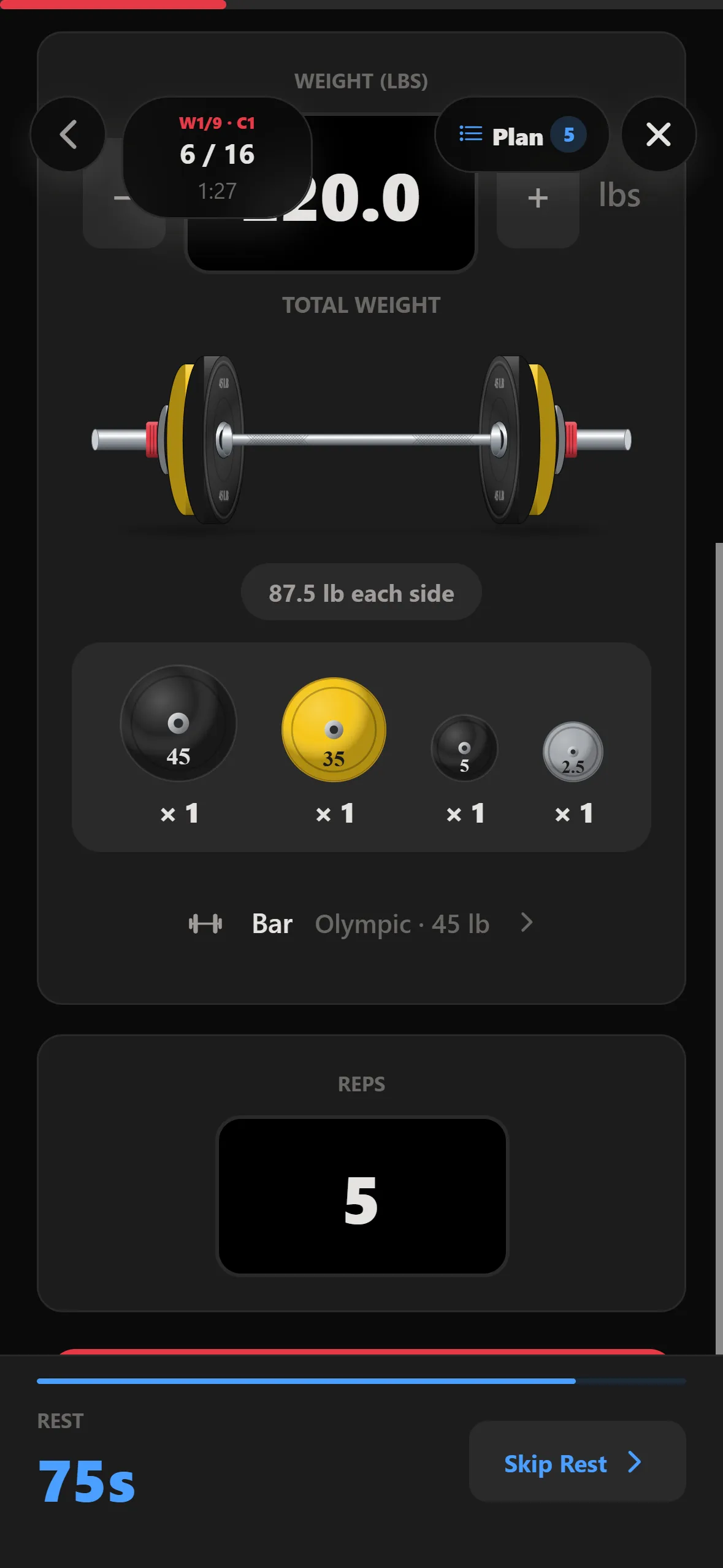
For barbell lifts, STRONKA draws the loaded bar and lists the plates for each side. Tap the Bar row to pick a different bar.
When you complete a set, the rest timer starts on its own. Tap Skip Rest when you’re ready to go early.
Track progress
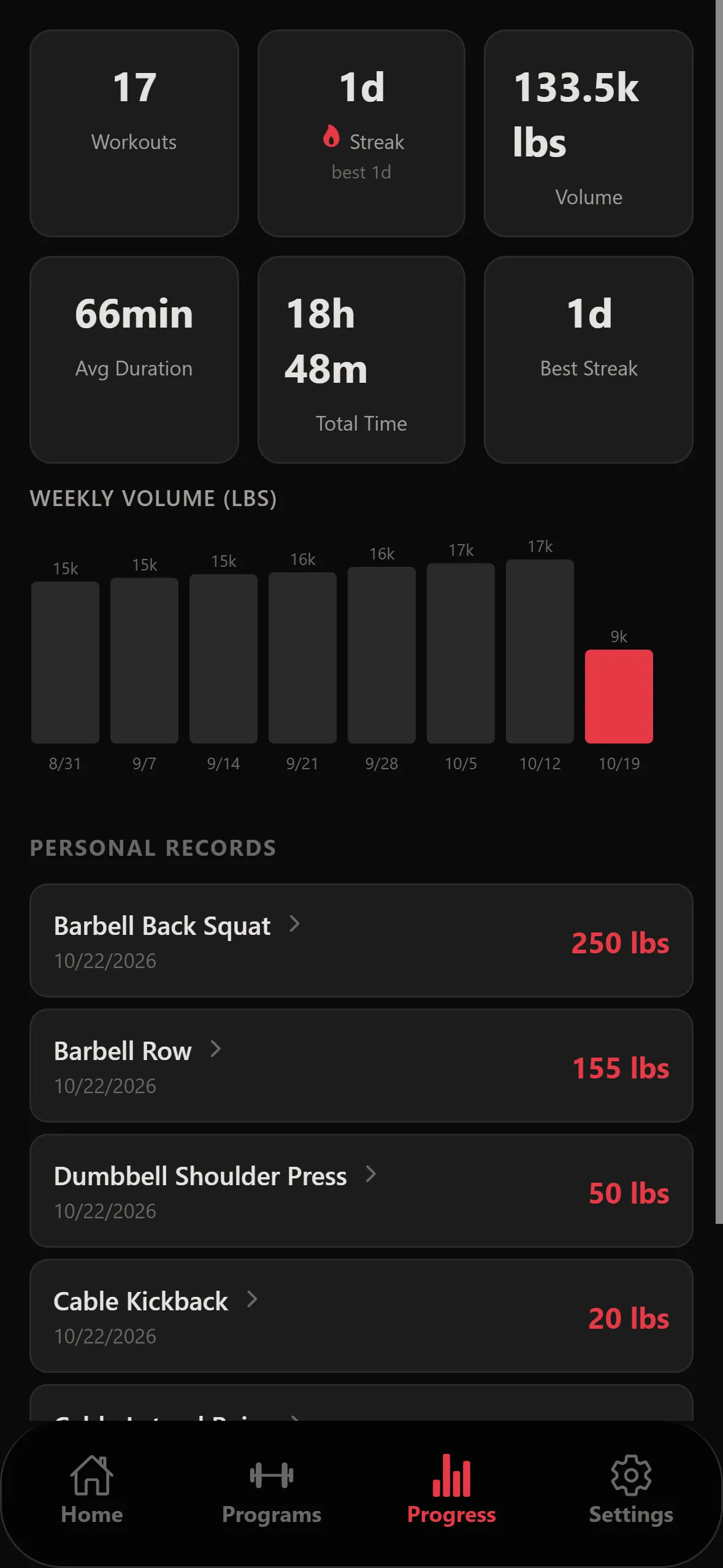
The Progress tab shows your total workouts, streaks, training time and weekly volume, plus a personal record for every lift. Tap a record to see that exercise’s full history.
No signal? Keep logging — your sets are saved on your phone and sync when you’re back online.
Exercise library
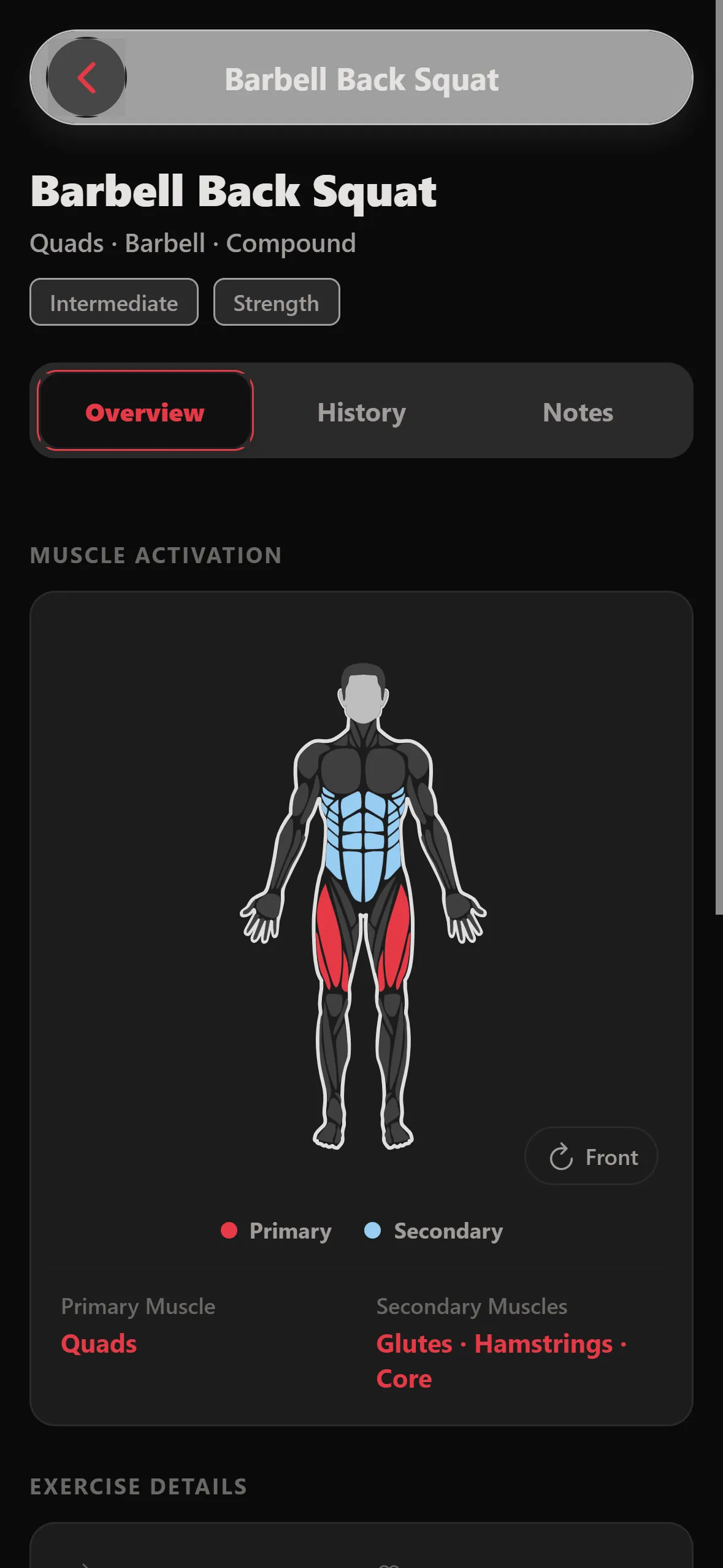
Open Exercises from Home to browse 1,089 movements. Each one shows the muscles it works, how to do it, coaching cues and alternatives. Can’t find yours? Add a custom exercise.
Settings and account
Units: switch between lb and kg any time in Settings.
Help & legal: Settings links to this guide, What’s new, Support, the Privacy Policy and the Terms of Use.
Delete your account: Settings → Danger Zone → Delete Account removes your profile, workouts and programs. More about your data.