NewProgressive overload, upgraded
Free in your browser · iOS & Android coming soon

Stop guessing what to lift next.

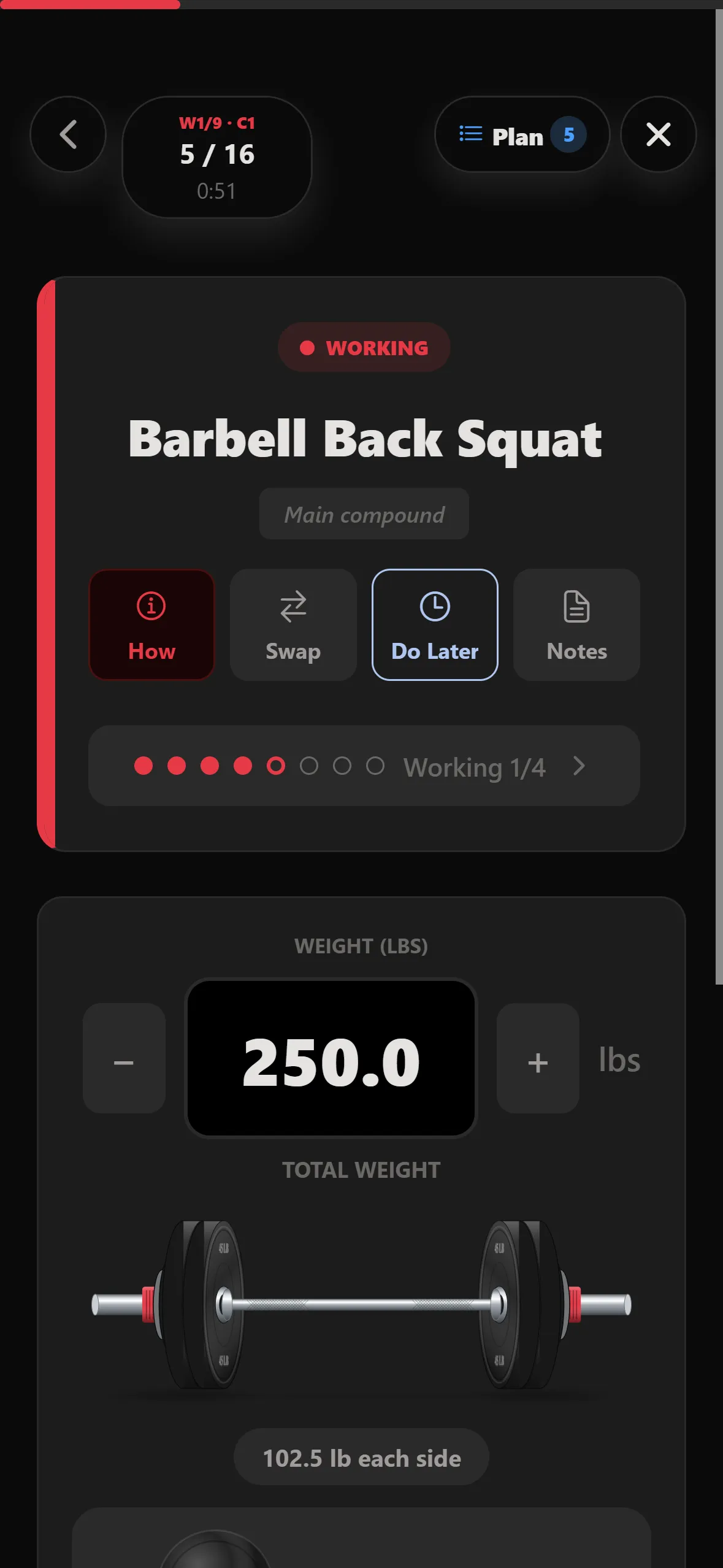
STRONKA builds your program, walks you through every set — warm-ups included — and shows exactly which plates to put on the bar.

Start training free See how it works

On iPhone? Open it in Safari, tap Share, then Add to Home Screen.
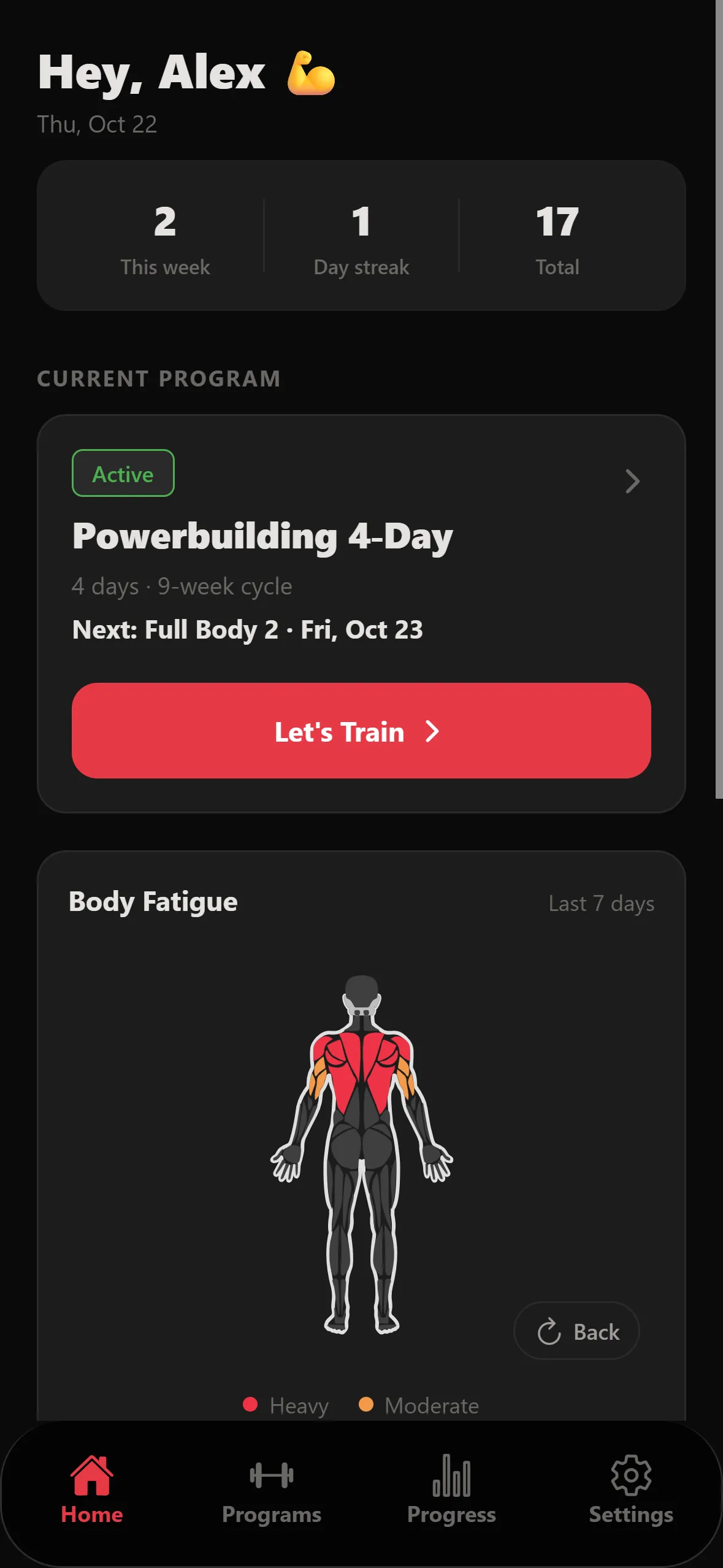
Home screen with the active Powerbuilding 4-Day program and a Let's Train button
Guided session: barbell back squat working set at 250 lb, 102.5 lb each side
  • Runs in any browser
  • Logs offline, syncs later
  • 1,089 exercises
  • lb or kg
iPhone · coming soonAndroid · coming soon
Guided sessions

One set at a time.

Open today's workout and STRONKA walks you through it: warm-ups first, then working sets with the weight already filled in. Swap an exercise, push one to later, or jot a note without leaving the set.
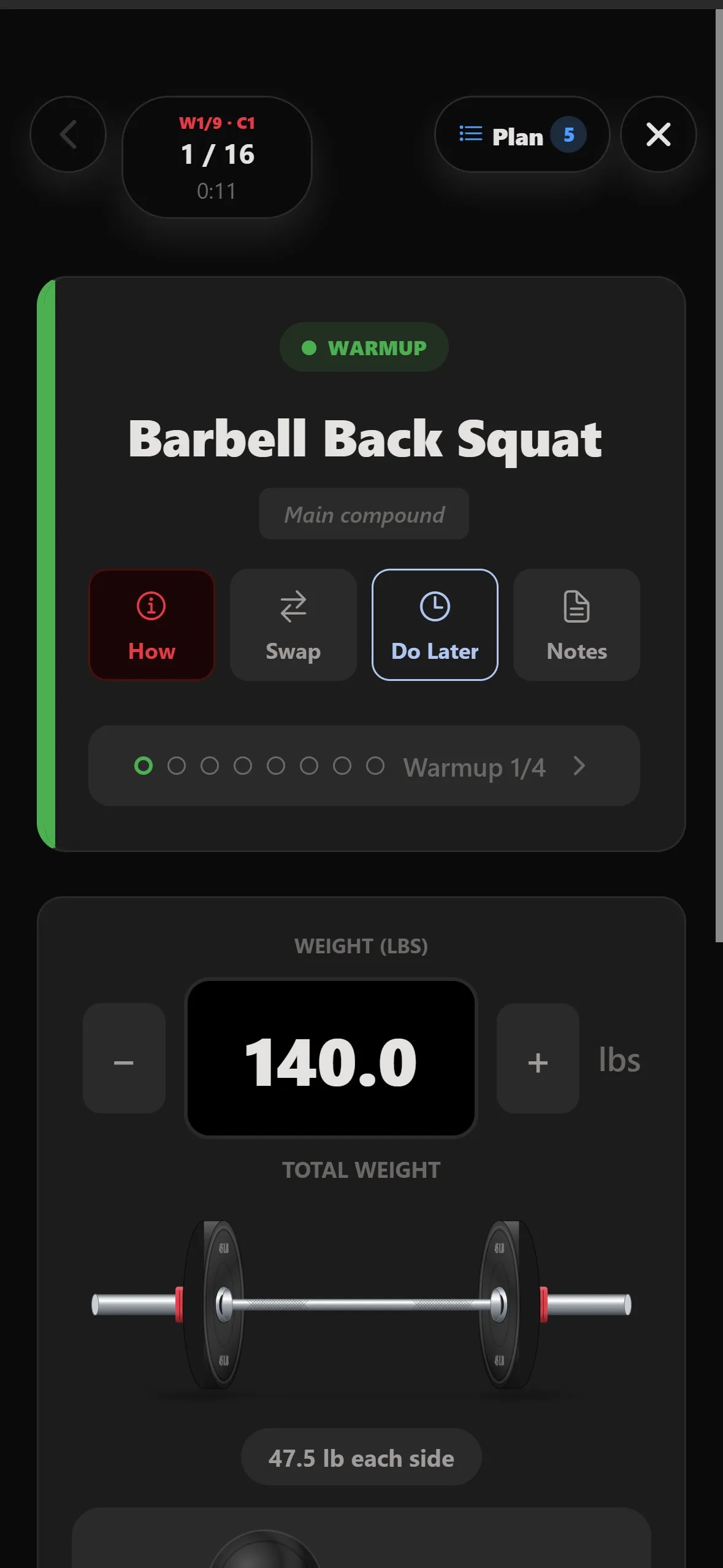
Warm-up set 1 of 4 for barbell back squat at 140 lb with How, Swap, Do Later and Notes buttons
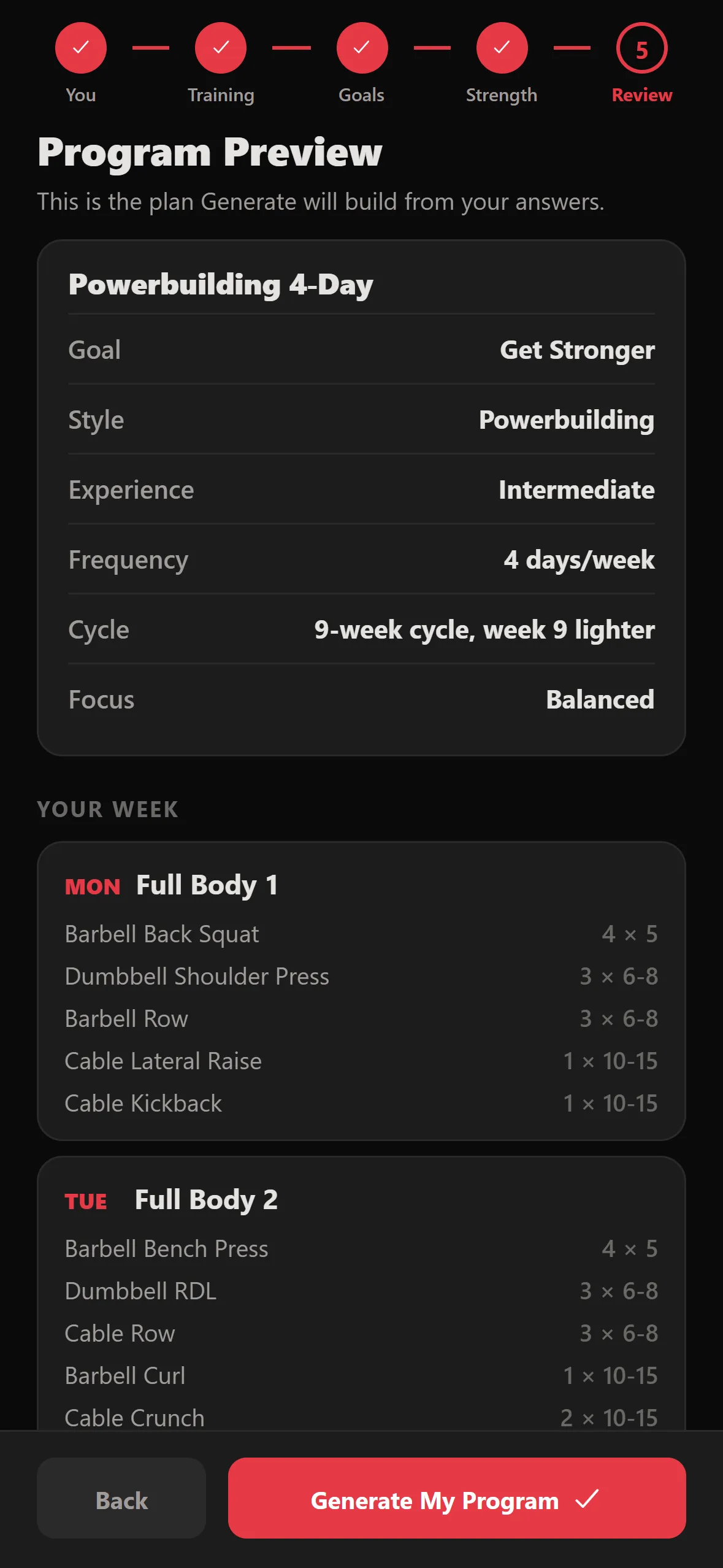
Program preview: Powerbuilding 4-Day, 9-week cycle with a lighter week 9
Progressive overload

The weight goes up when you earn it.

Your plan runs in cycles — nine weeks, with a lighter last week to recover. Hit your reps and the next session adds weight. When a cycle ends, STRONKA offers a max test so the next one starts from your real numbers.

Your equipment

Your bar. Your plates. No mental math.

Tell STRONKA which bar and plates your gym has. Every set shows the bar loaded and the plates for each side — and the rest timer starts the moment you finish.
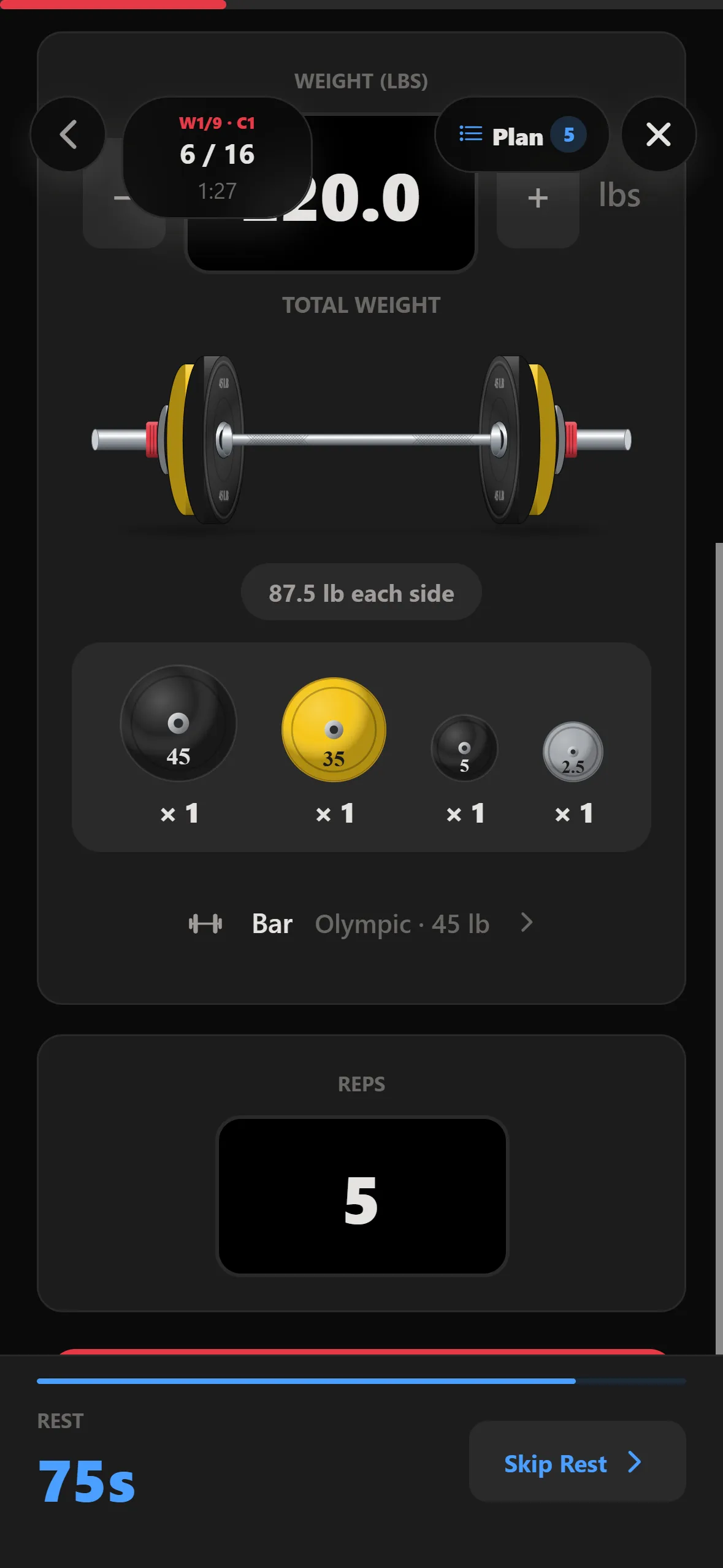
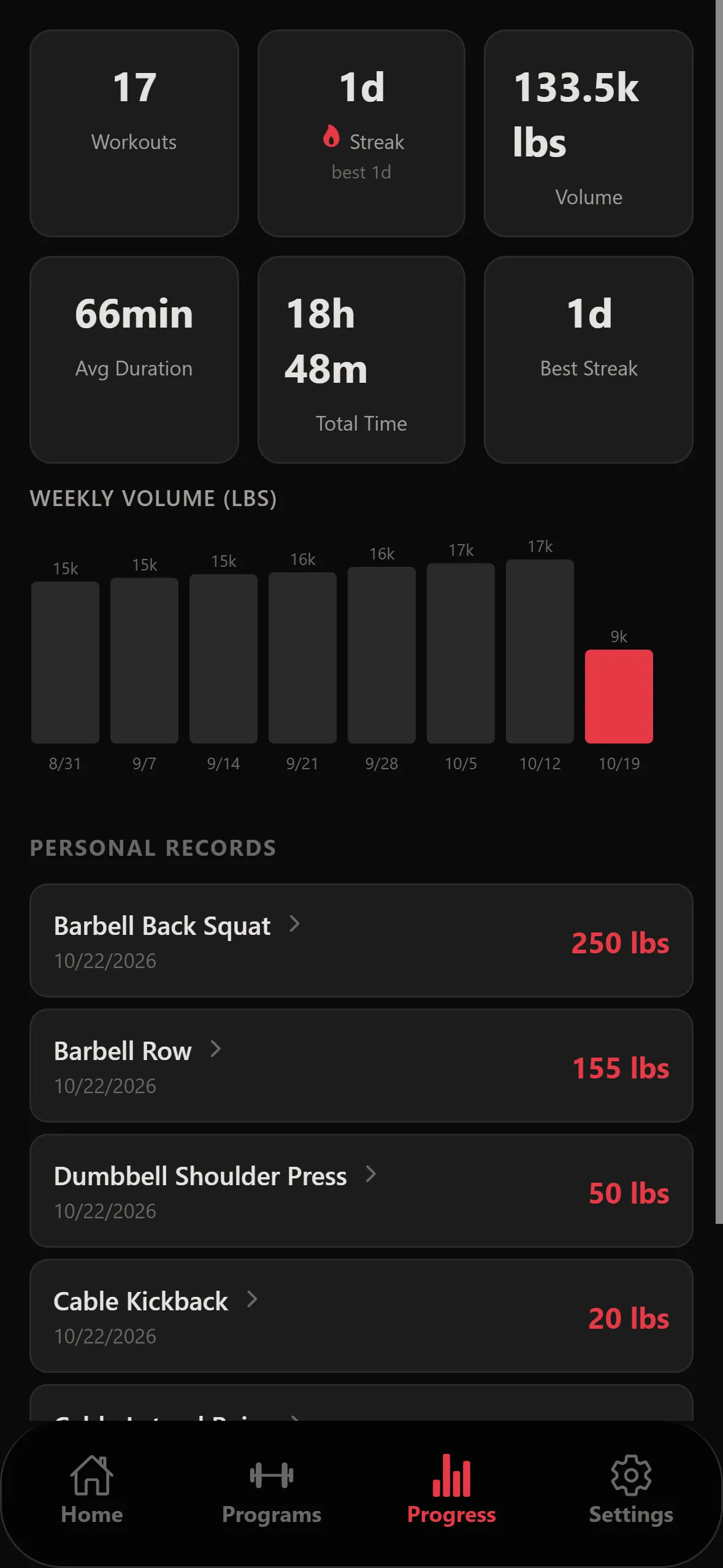
Plate breakdown of 87.5 lb each side: 45, 35, 5 and 2.5 lb plates, with an 88 second rest timer
Progress screen with workout totals, weekly volume chart and personal records
Progress

Watch the numbers climb.

Every session is saved, even with no signal. See weekly volume, streaks, personal records for every lift, and the full history behind each one.

Video form feedbackComing to Pro

Film a set. Get feedback on your technique.

Record your squat, bench, deadlift or row and STRONKA reviews the movement after the set — so you know what to fix before you add weight.

Your first program in about two minutes.

  1. Step 01: Tell it about you

    Your goal, experience, training days, and your main lifts if you know them.
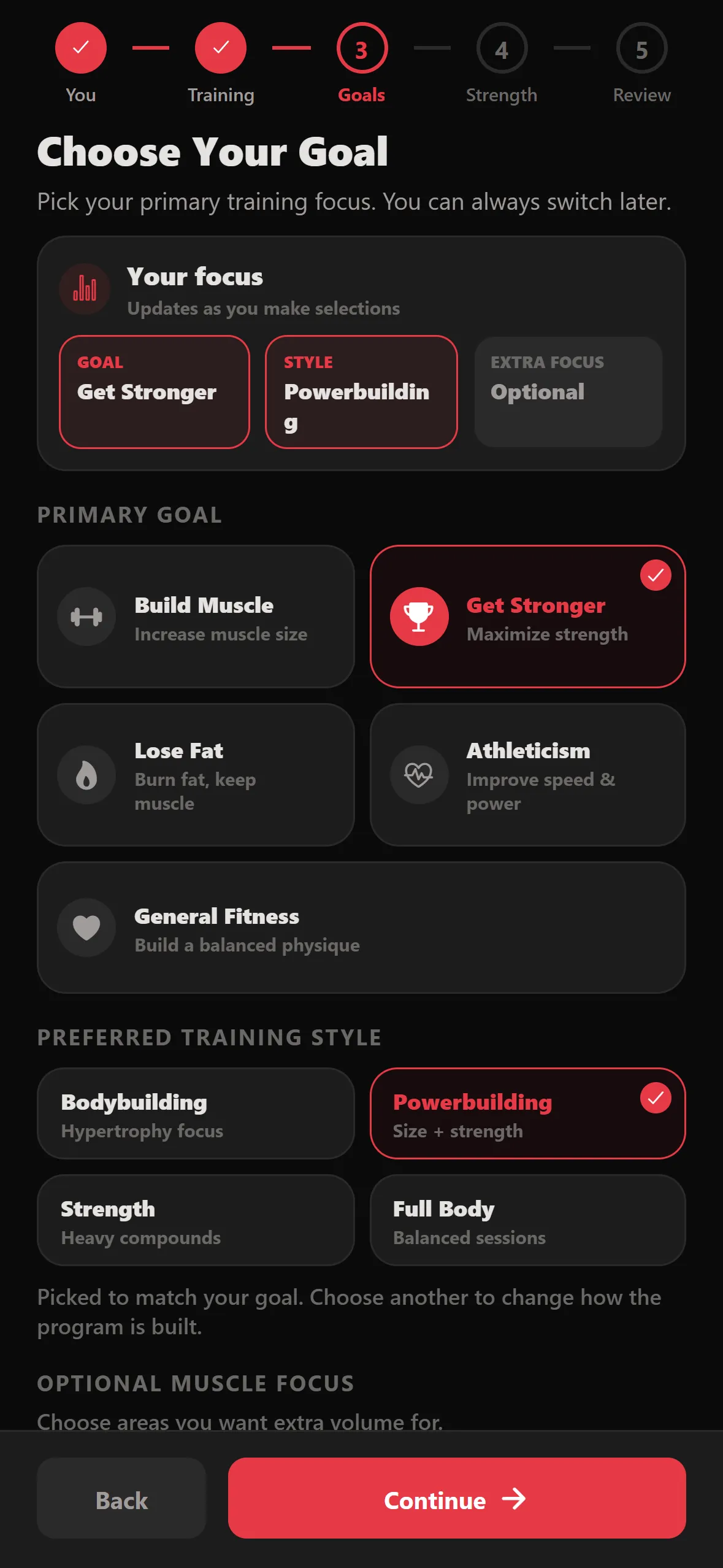
    Choose your goal step of onboarding
  2. Step 02: Get your program

    STRONKA builds a full plan around your week. Swap exercises, duplicate a day, or start from a template.

    Home screen showing the active Powerbuilding 4-Day program
  3. Step 03: Train. It adjusts.

    Log each set as you go. Next session's weights update from what you actually did.

    Working set screen during a session
Read the full guide
1,089
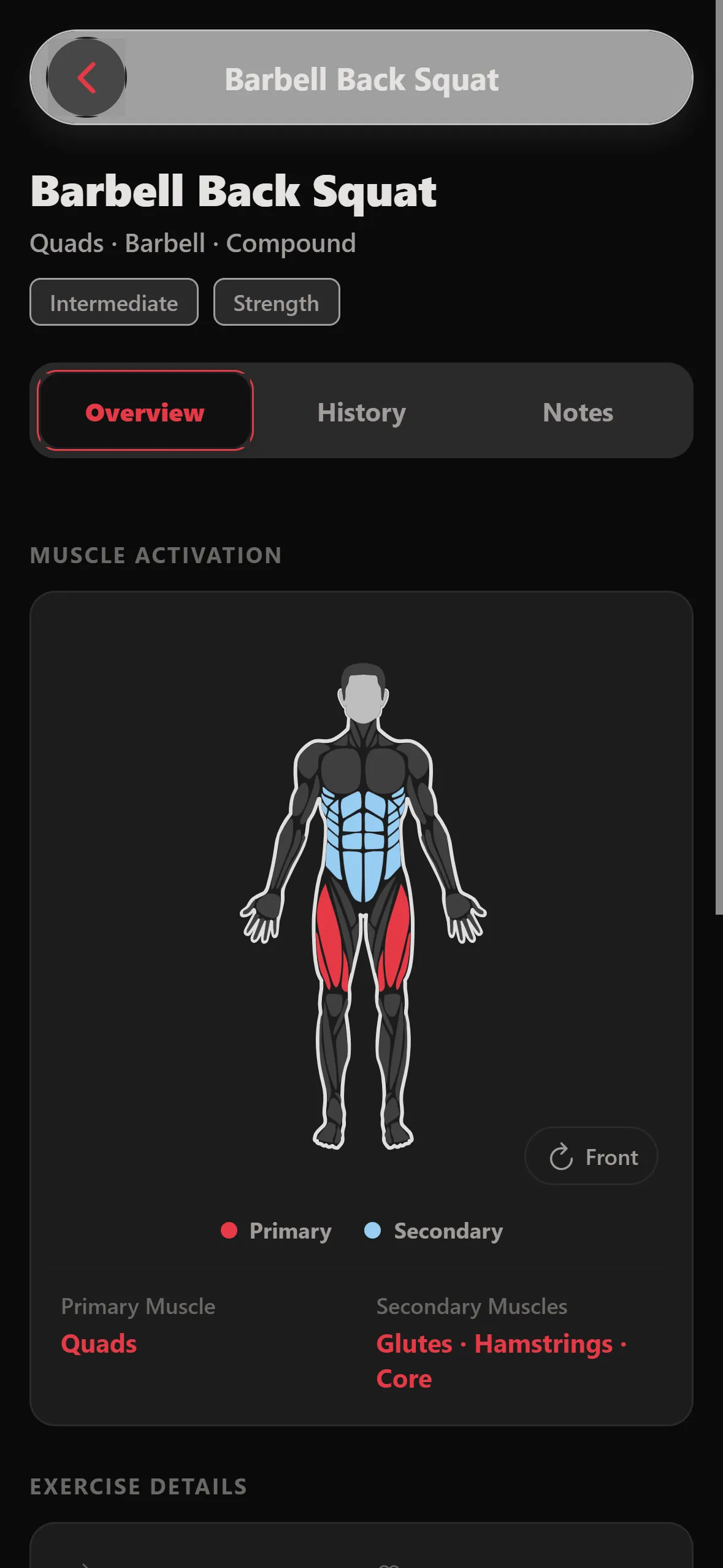
exercises, each with the muscles it works, how-to steps and coaching cues — plus any you add yourself.
  • Barbell
  • Dumbbell
  • Machine
  • Cable
  • Bodyweight
Barbell back squat detail screen with a muscle activation map

Better than the notebook.

Paper and spreadsheets record what you did. STRONKA also tells you what to do next.

Notebook Spreadsheet STRONKA
Tells you what to lift next NoIf you build it
Warm-up sets planned for you NoNo
Plates per side worked out NoNo
Rest timer between sets NoNo
PRs and progress charts NoWith effort
Works with no signal Depends

Start free. Pro is on the way.

Everything on this page is free today. Pro is on the way, starting with video form feedback on your lifts.

Free
$0
  • Unlimited workout logging
  • Guided sessions, warm-ups and rest timer
  • Full exercise library + custom exercises
  • Build your own programs
  • Plate math for your bar and plates
  • History, PRs and offline sync
Start free
ProComing soon
  • Everything in Free
  • Video form feedback on your lifts

Want an email when it launches? Write to support@stronkaa.com.
Questions

Do I need to download anything?
No. STRONKA runs in your browser on phone or desktop. On a phone, add it to your home screen and it opens like an app. Native iPhone and Android apps are coming.
Does it work without signal in the gym?
Yes. Sets you log offline are saved on your device and sync when you're back online.
I don't know my maxes. Can I still start?
Yes. Skip them and STRONKA uses conservative starting weights, or estimate a max from a hard set you did recently.
Can I run my own program instead?
Yes. Build one from scratch, start from a template, or edit the one STRONKA makes.
What's in Pro?
Pro isn't available yet. It will start with video form feedback on your lifts. Tap Notify me and we'll email you once when it launches.
Can I use pounds or kilos?
Either. Pick lb or kg when you set up, and switch any time in Settings. Plate math follows whichever you choose.
What happens to my training data?
It's yours. We use it to run the app and build your program — we don't sell it or show ads. The Privacy Policy has the details.
Where can I see what's new?
Every release is on the Updates page, and the Guide walks through each part of the app.
How do I delete my account and data?
In the app, go to Settings → Danger Zone → Permanently Delete Account. You can also request deletion here.

Your next session is already planned.

Free, in your browser, no download.

Start training free

Want an email when it launches? Write to support@stronkaa.com.